Indicator for Discrepant Rooms in Stay
Stay is enhanced to indicate the discrepant rooms with an icon in the following areas:
-
The Search screen next to the room number of the reservation.
-
The following tabs on the Batch Operations screen:
-
Registration Card: Room Number column
-
Check-In: Room # Building column
-
Settle & Check-Out: Room column
-
Batch Edit: Room # Building column
-
-
In the From Room Number and To Room Number columns on the Scheduled Room Moves screen
-
In the Rooms column on the Tape Chart screen
When users hover over the icon, the following message is displayed: Discrepant Room. The icon is also added to the list of icons on the Tape Chart’s Key.
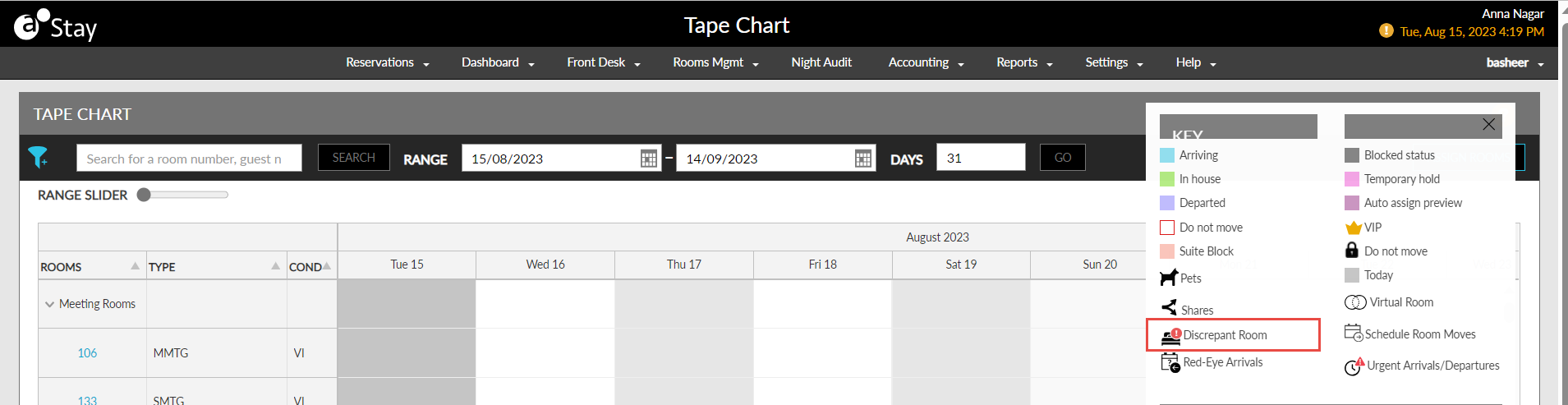
Additionally, users can now filter discrepant rooms in the Tape Chart, Search, and Batch Operations screens.
A new filter option, Discrepant Rooms, has been added to the following screens:
-
Search: In the Housekeeping section
-
Batch Operations
-
Scheduled Room Moves
-
Tape Chart
The inventory status of the suite rooms is updated as Discrepant for the following conditions:
-
When the inventory status of any one component room of a virtual suite is Discrepant, the housekeeping condition of the suite room is updated as Varies and the inventory status is updated as Discrepant.
-
When the inventory status of all the component rooms of a virtual suite is Discrepant, the housekeeping condition of the suite room is updated as the housekeeping condition of the component rooms and the inventory status is updated as Discrepant.